
A massage chair with Bluetooth speakers lets you play audio from a paired device while you relax, making music part of the massage rather than something you need separate speakers for. The benefit is simple: you can shape the atmosphere of a session with audio you already enjoy.
If you like listening to music while unwinding, built-in speakers can make the experience more seamless. Still, consider more than sound: check how you control playback, what audio features the model offers and how they fit your routine.
This guide explains how Bluetooth audio and chair speakers work, what to look for in app controls, and how models and prices compare in Australia. You’ll also find practical points for weighing audio features alongside the massage functions, so you can choose a chair that suits both your comfort preferences and your budget.
Key Takeaways
- Compare speaker placement and Bluetooth pairing with the way you prefer to listen during a massage.
- Look beyond audio when comparing models: massage functions, recline style and control options also shape the experience.
- Use the model comparisons to understand how features relate to prices in the Australian market.
- Choose music or ambient audio to suit your relaxation routine, and consider how playback controls fit into it.
- Review comfort and personal health considerations before using a massage chair, especially if you have concerns about using one.
Bluetooth audio and headrest speakers
A massage chair with Bluetooth speakers can play audio from a paired phone or tablet during a massage. Speakers near the headrest bring sound close to you, while Bluetooth avoids a separate audio cable. Speaker placement and convenient playback controls matter as much as the feature itself.
Start by checking where the speakers sit. Some chairs place them beside the headrest, directing audio towards you. This can make a quiet playlist easier to hear without filling the room. Position also affects comfort, so listen while reclined, not just standing beside the chair. Your head’s position changes as the chair moves.
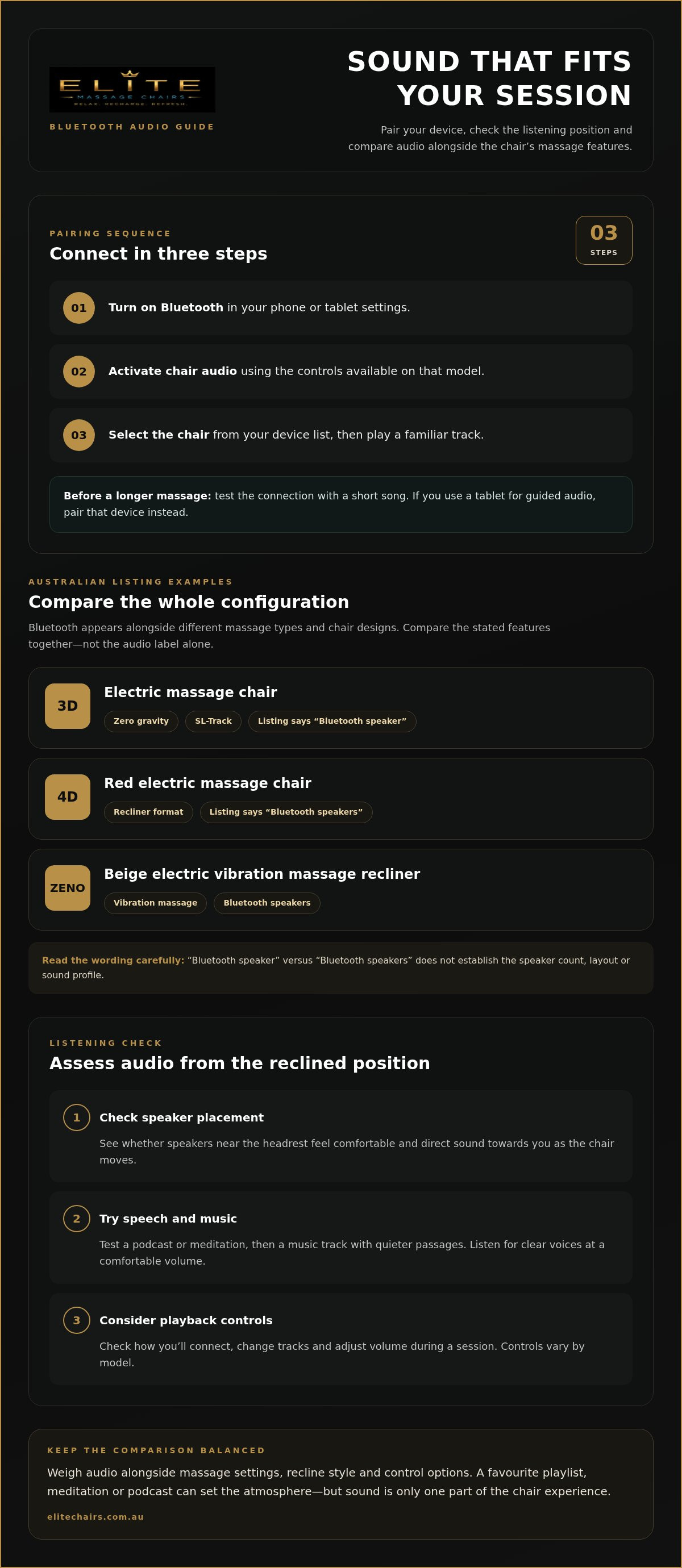
Pairing usually follows a simple sequence, though the controls vary by model:
- Turn on Bluetooth in your phone or tablet settings.
- Activate the chair’s Bluetooth audio function using its available controls.
- Select the chair from the device list, then play a familiar track.
Test the connection with a short song before starting a longer massage. If you use a tablet for guided audio, pair that device instead of your phone. Keeping your preferred device connected can simplify sessions, though switching devices may require pairing again.
Focus on practical listening, not just a speaker label. Try a spoken podcast or meditation, then a music track with quieter passages. Voices should be clear at a comfortable volume, and the sound should suit the reclined position. A showroom demonstration lets you assess these details in person before choosing a chair.
Product descriptions may use different wording. For example, one listed 3D electric massage chair includes a Bluetooth speaker, while a red 4D electric massage chair is described with Bluetooth speakers. Read each model’s feature details carefully, as that wording doesn’t establish the speaker count, layout or sound profile.
- Check placement: assess whether the speakers sit comfortably near your head when reclined.
- Test your audio: try speech and music from the device you expect to use.
- Consider controls: see how you’ll connect, change tracks and adjust volume during a session.
Bluetooth audio is most useful when it supports your routine without distracting from the massage. A favourite playlist, meditation or podcast can each create a different atmosphere. Compare sound alongside the chair’s massage settings, rather than making audio the only deciding factor.
Bluetooth massage chair models and prices
Bluetooth audio appears across chairs with different massage mechanisms and recline designs. In Australian listings, examples include a 3D electric chair with zero gravity, an SL-Track and a Bluetooth speaker. Another configuration pairs 4D massage with a recliner and Bluetooth speakers. These descriptions show why comparing only the audio feature gives an incomplete picture.
Model features can help explain what to compare. A 3D model with an SL-Track differs from a 4D recliner in both massage terminology and overall design. Compare each chair’s stated functions, recline style and audio setup together. That gives you a clearer basis for judging whether its features suit your priorities.
Compare specific features instead of relying on a model label:
- Massage type: compare 3D and 4D descriptions as presented for each chair.
- Chair design: note zero-gravity positioning, a recliner format or another stated configuration.
- Audio wording: distinguish a listing that says “Bluetooth speaker” from one describing “Bluetooth speakers”.
- Track design: record whether the chair specifies an SL-Track.
Those distinctions matter because the listings describe different combinations, not identical chairs with different names. For example, the 3D configuration combines zero gravity, one Bluetooth speaker and an SL-Track. The red 4D configuration combines a recliner and Bluetooth speakers. A beige ZENO electric vibration massage recliner is another listed configuration with Bluetooth speakers.
Before comparing offers, make a short checklist of each model’s description, massage type, recline format and audio features. Then consider how those details fit your plans for using the chair. If music matters most, prioritise speaker placement and playback controls. If massage functions come first, compare those features before audio.
Payment details can vary between listings. Some Australian listings show instalment options alongside a product offer, so distinguish the full listed price from any payment schedule. An instalment amount alone doesn’t show the total cost. Compare the complete offer and its stated terms.
Availability can affect which configurations you can consider at a particular time. A listing may be marked sold out, which means its displayed model isn’t currently presented as available to purchase. Avoid treating that configuration as interchangeable with another chair. Features such as 3D or 4D massage, SL-Track design and recliner style differ between examples.
Use model descriptions to build a shortlist, then weigh each chair’s functions against your listening preferences. When comparing Australian listings, this helps you compare similar options instead of focusing on Bluetooth labels alone.
Music, guided meditations and ambient sounds
Bluetooth audio lets you choose what accompanies a chair session, rather than relying on a fixed soundtrack. Instrumental music, a spoken meditation or rainfall can each create a different atmosphere. Match the sound to your session, such as quiet music for winding down or clear speech for a guided exercise.
Prepare a short playlist before reclining, with familiar tracks at a consistent volume, so you don’t need to reach for your phone between songs. You might combine soft piano and low-key acoustic music. For spoken guidance, choose a meditation and check that its instructions are easy to hear over the chair.
Ambient sounds offer background texture without lyrics or conversation. Try rain, ocean waves, forest birds or a steady fan recording. Each sounds different: rainfall can be continuous, while birdsong has changing calls. Choose one that helps you settle rather than switching repeatedly during the massage.
Prepare the audio source in a few simple steps:
- Choose a playlist, meditation or ambient track on your phone or tablet.
- Set a comfortable starting volume before reclining.
- Begin the massage, then adjust playback if the audio competes with the chair’s movements.
This sequence minimises phone use once you’re settled. Spoken meditation may need more volume than instrumental music, as overlapping background sounds can make words harder to follow. Keep audio clear and comfortable instead of automatically turning it up.
Consider the recording’s structure, too. A long introduction may not suit a brief session, while sudden adverts or volume changes can interrupt a calm routine. Choose continuous audio for a steadier backdrop. If you use a streaming app, select the track before starting so playback is ready.
Sound preferences vary. One person may prefer silence during a focused massage, while another enjoys a familiar album. Try instrumental music, spoken guidance and ambient sound during separate sessions. This gives you a practical comparison without assuming one style suits every routine.
- For music: choose familiar tracks with steady volume and minimal abrupt changes.
- For guided meditation: prioritise clear speech and concise instructions.
- For ambience: test rainfall, ocean or forest sounds as background options.
Treat audio as a personal setting, not a promised wellness result. A playlist can make a session feel familiar, while meditation offers prompts to follow. Compare each option alongside your preferred massage settings, and keep what suits your routine.
Electric massage chairs with Bluetooth speakers
Electric models combine powered massage functions with audio playback from a paired device. Australian listings describe different combinations of massage type, chair design and Bluetooth features. Compare the full configuration, not just the sound.
Electric Massage Chairs
An electric chair uses powered mechanisms to deliver its massage functions, while its design shapes how you sit and recline. One listed configuration pairs 3D massage with zero gravity positioning and an SL-Track. Another combines 4D massage with a recliner. Compare these stated features first, then decide which arrangement suits your preferred chair experience.
Look at the full model description, not just the word “electric”. The 3D and 4D labels distinguish the massage types used in the listings, while zero gravity, SL-Track and recliner describe other aspects of each configuration. These terms aren’t interchangeable. Record each feature separately in a shortlist, so you can identify which differences matter most to you.
Bluetooth Speaker Features
A massage chair with bluetooth speakers can receive audio from a paired phone or tablet. Australian examples describe one model with a Bluetooth speaker and another with Bluetooth speakers. That wording identifies audio as a feature, but doesn’t specify speaker placement, sound quality or playback controls. Consider those separately when comparing descriptions or trying a chair.
Test audio from the position you’ll use during a massage. Pair your device, play a familiar track and check whether playback is convenient once seated. This helps you judge the listening experience without assuming a higher massage designation means better sound. Try spoken audio as well if you plan to listen to podcasts or guided content.
To compare an electric massage chair with Bluetooth speakers, consider the complete configuration. Australian listings include these combinations:
- 3D electric chair: listed with zero gravity, an SL-Track and a Bluetooth speaker.
- 4D electric recliner: listed in red with Bluetooth speakers.
- Beige vibration recliner: listed with Bluetooth speakers and an electric vibration massage description.
These examples show why a Bluetooth label alone isn’t enough to choose a chair. The 3D configuration combines zero gravity and an SL-Track; the 4D example uses a recliner format. The beige vibration model has a different massage description. Compare those details with your priorities instead of treating the configurations as equivalent.
Make a comparison list before narrowing your choices. Record each model’s massage type, chair format, track description and Bluetooth features. Then consider how the audio and controls work alongside its massage functions. This keeps sound in view while helping you assess the overall design.
Are there safety risks or contraindications for using a massage chair?
A massage chair combines moving parts, reclining positions and pressure against the body. Use the controls deliberately, and stop if a setting causes pain, dizziness or unusual discomfort. For example, choose a gentler programme rather than increasing intensity to push through discomfort. A massage chair is a comfort product, not a substitute for medical assessment or treatment.
Health circumstances can affect whether massage is suitable. If you’re managing an injury, recovering from surgery or living with a health condition, discuss chair use with your treating clinician. Describe the chair’s massage action and reclining position, not just ask whether massage is generally suitable. These details help your clinician consider your care plan.
Before starting a session, use this simple sequence:
- Read the chair’s user manual and identify its stop control.
- Sit in the chair and adjust your position before starting a programme.
- Begin with a comfortable setting, then notice how your body responds.
- Stop the programme if you feel pain, numbness or distress.
These steps help you stay in control. If a massage roller feels uncomfortable against your back, pause the chair rather than waiting for the programme to finish. Keep the remote or control panel within reach before reclining. Keep the manual accessible to understand the chair’s settings and instructions.
Check the space around the chair, too. A reclining model needs room to move, so keep bags, pets and loose cables clear of its path. Before switching it on, look for visible damage to the power lead or plug. Don’t use electrical equipment that appears damaged. Keep drinks away from controls and power connections to prevent spills.
Children and other household members should know that a powered chair moves. Keep hands, toys and loose clothing away from moving sections while it operates. Ask children to stand clear before changing the chair’s position, and supervise anyone who may have difficulty understanding the controls or responding quickly to movement.
Bluetooth audio doesn’t change how the chair operates, but it can affect awareness. Keep the volume low enough to hear someone nearby or notice a sound from the chair. Don’t let a playlist distract you from discomfort or movement. Pause the audio and massage if you need to reposition or leave the seat.
Use the chair carefully: read the manual, keep the operating area clear and respond promptly to discomfort. If a health condition or recovery affects your choice, discuss the chair’s specific movements with your treating clinician before use. This helps you weigh its functions against your circumstances.
Elite Massage Chairs: Zero Gravity Massage Chairs
Elite Massage Chairs offers Zero Gravity Massage Chairs for those comparing comfort and massage features. A showroom demonstration lets you experience a chair in person and consider how its position feels before choosing. If Bluetooth audio matters to you, assess sound and controls alongside the massage functions.
Massage Accessories can complement a home massage-chair setup. The best next step depends on what you’re weighing: compare chair features online, or experience a demonstration if comfort and fit are difficult to judge from descriptions alone.
Explore the available options or arrange your next step by visiting elitechairs.com.au.
Make your next choice feel personal
Let your everyday routine guide your decision. A massage chair with Bluetooth speakers should feel comfortable to use, with audio that complements rather than competes with your chosen massage settings. Picture an ordinary evening at home: which controls would you want within reach, and what would you enjoy listening to as you unwind?
Turn that picture into a shortlist. Note the chair features that matter most, the audio you’re likely to play and any comfort considerations. If you’re still weighing options, experiencing a chair in person can make the choice more tangible. A considered decision is more likely to suit your space and how you want to relax.
Explore Zero Gravity Massage Chairs and Massage Accessories, or take the next step with a showroom demonstration. Contact Elite Massage Chairs to discuss your options. A more considered choice can bring comfort and listening together in a way that feels naturally yours.
Frequently Asked Questions
Why Does My Massage Chair Need Speakers?
Speakers let you listen without setting up a separate sound system beside your chair. A massage chair with Bluetooth speakers can play music, spoken guidance or ambient sounds from a paired device. They’re useful if you enjoy audio during a session or want playback close by while reclined. They’re optional, though: if you prefer quiet or use headphones, comfort and massage settings may matter more.
What massage chairs with Bluetooth speakers are available in Australia?
Australian listings include 3D and 4D electric massage chair configurations, plus a beige ZENO electric vibration massage recliner. The 3D example combines zero gravity positioning and an SL-Track, while the red 4D example is described as a recliner. If you’re comparing a massage chair with Bluetooth speakers, consider the full configuration, not just its audio feature. One listing is marked sold out, so availability can vary.
How much do these massage chairs cost in Australia?
Price depends on the chair’s configuration and how the listing presents the offer. Compare the stated massage type, chair design and included features, rather than judging cost by Bluetooth audio alone. Treat any payment schedule separately from the full listed price. For a useful comparison, shortlist models with similar functions, then assess their total listed prices and payment terms together.
What are the best-rated massage chairs with Bluetooth speakers in Australia?
The best choice depends on which features suit your preferences, rather than a rating alone. Compare massage functions, recline format, audio controls and comfort in your preferred position. For example, a 3D chair with zero gravity and an SL-Track differs from a 4D recliner. A showroom demonstration can help you assess how a massage chair with Bluetooth speakers feels and whether its controls suit your routine.


